OMNI enables you to export resolved orders to a document easily. This video demonstrates the simple process of order exporters.
For any ambiguities or additional questions, please, contact us directly.
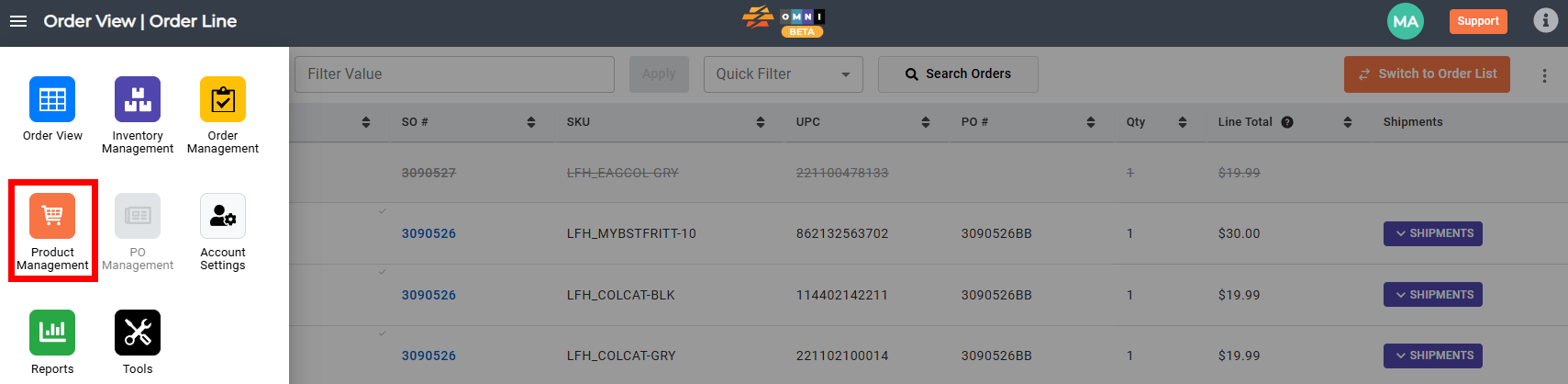
A) Enter to Product Management
- Go to the main menu
- Select “Order Management”
B) Work with Brand and Suppliers
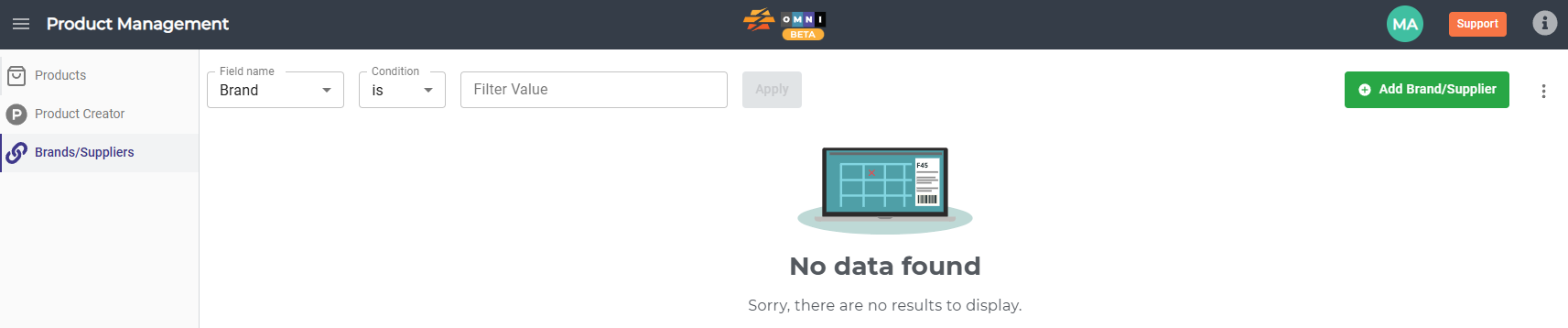
- Select the “Brand/Suppliers” submenu

- Press the “Add Brand Suppliers” command button to open the New Brand / Supplier popup form
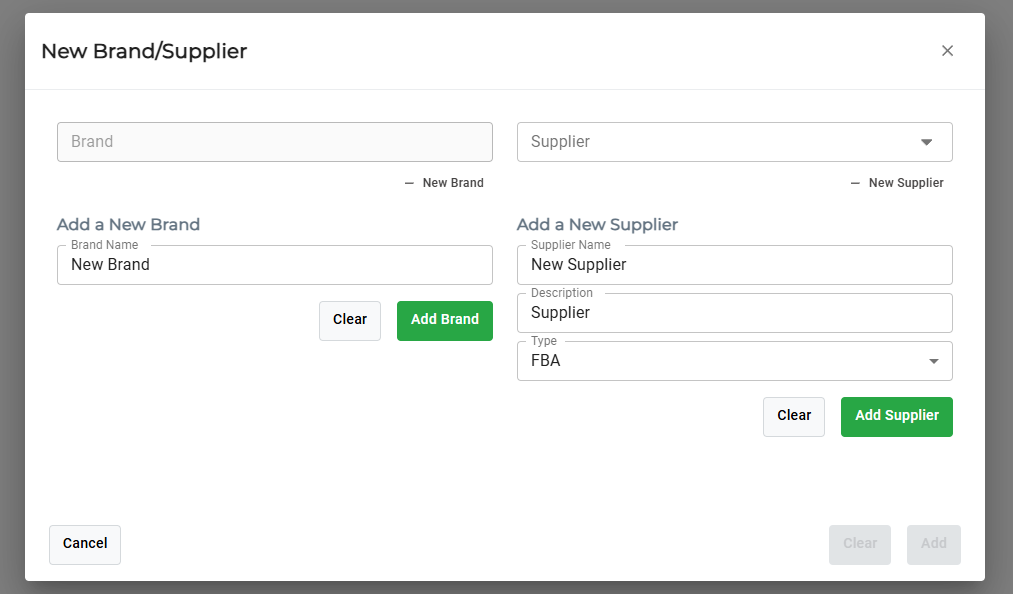
- Press the “+New Brand” or “+New Supplier” label
- Enter a new brand or supplier name in the field
- Confirm a new brand or supplier by pressing the “Add Brand” or “Add Supplier” command button
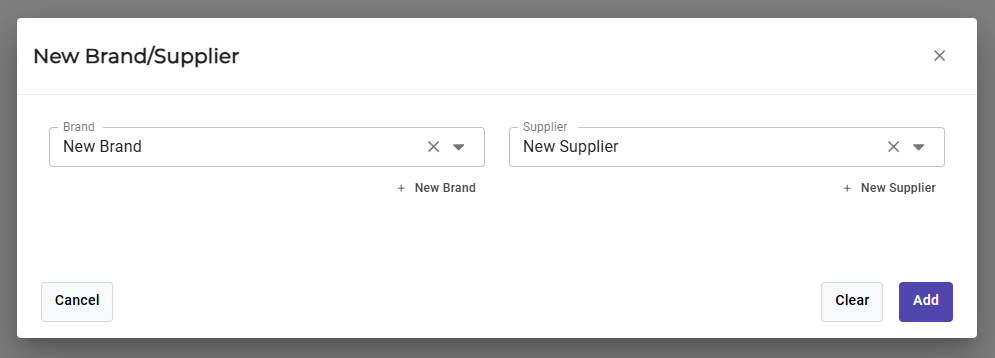
- New brand and Supplier will automatically be populated in the drop-down menus
- Confirm the chosen brand and supplier by clicking the “Add” command button