OMNI enables you to export resolved orders to a document easily. This video demonstrates the simple process of order exporters.
For any ambiguities or additional questions, please, contact us directly.
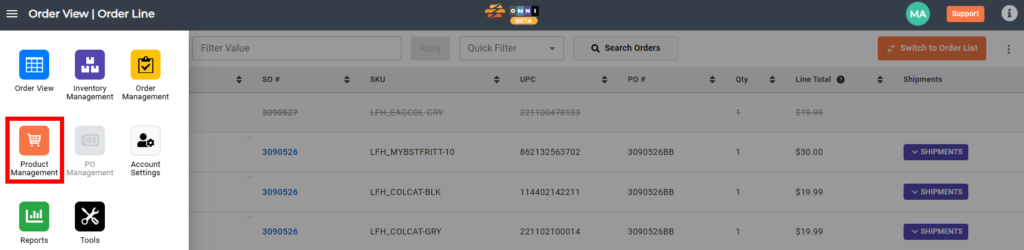
A) Enter to Product Management
- Go to the main menu
- Select “Order Management”
B) Steps to cancel csv file
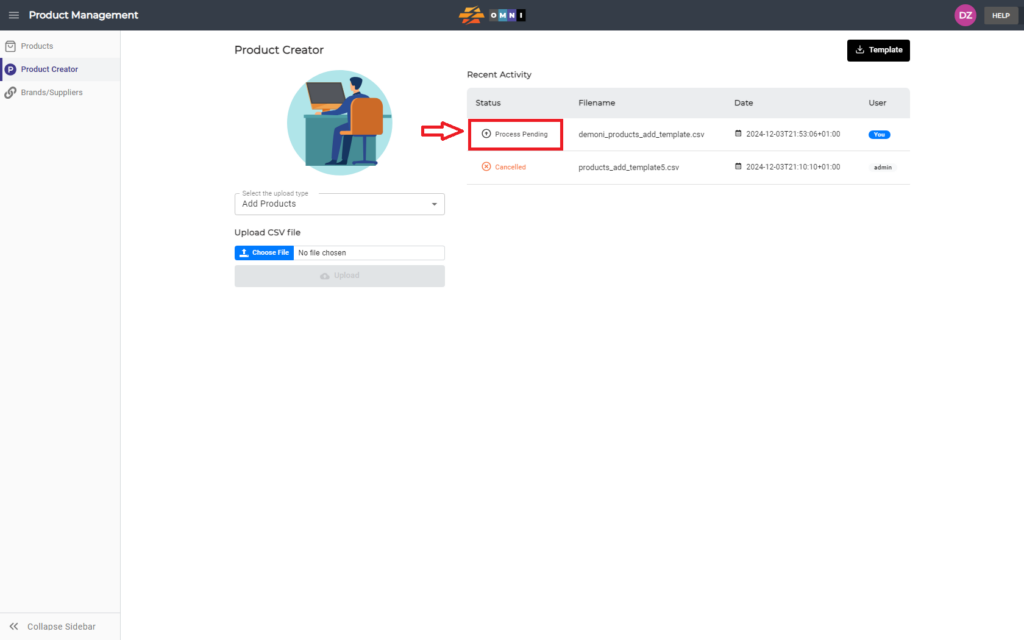
- Select the “Product Creator” submenu
- Place the mouse over the document you want to cancel in the “Status” column and click
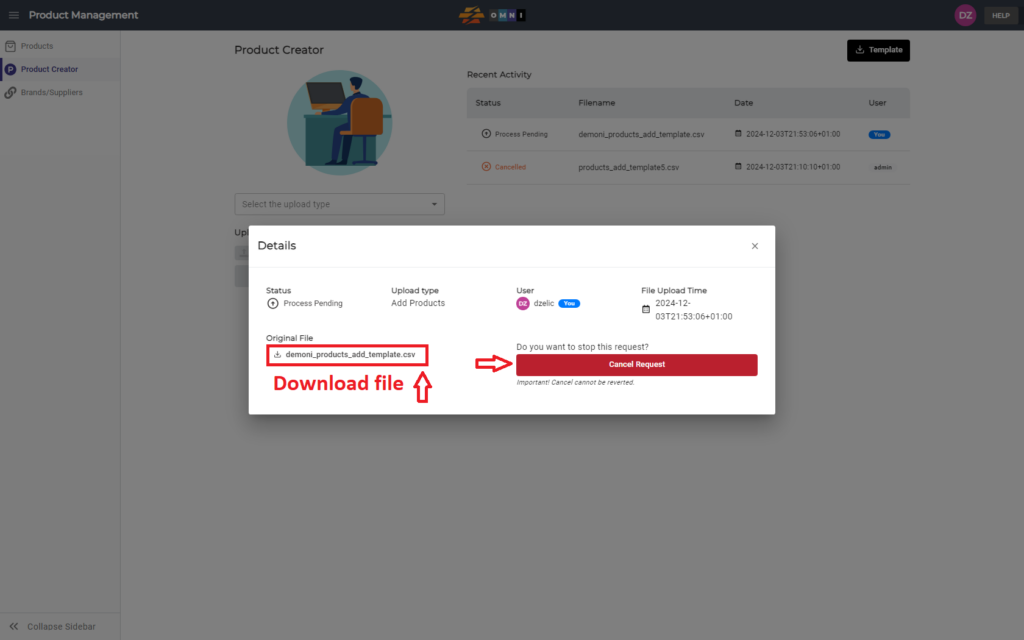
- In the open popup window cancel an order by pressing “Cacnecl Request”
- Before closing the window, you can download the canceled document to the computer and make changes or archive it, by pressing the *.csv filename