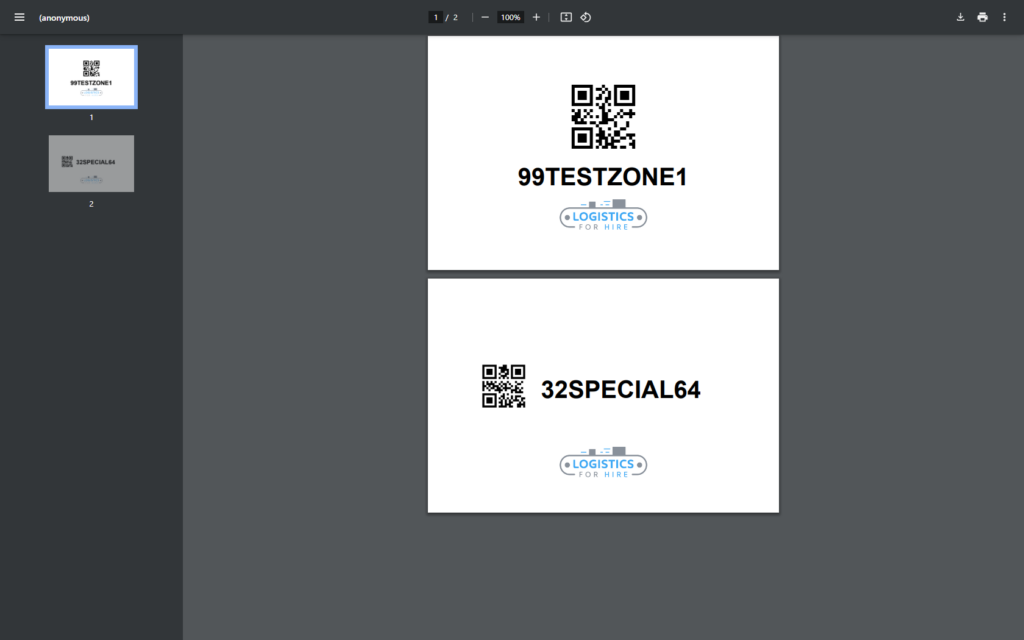
This video will teach you how to use one of the tools within the OMNI app to create ID labels, using a template to help you accomplish this task.
For any ambiguities or additional questions, please, contact us directly.
A) Steps to print Pick Label
- Go to the main menu
- Select “Tools”
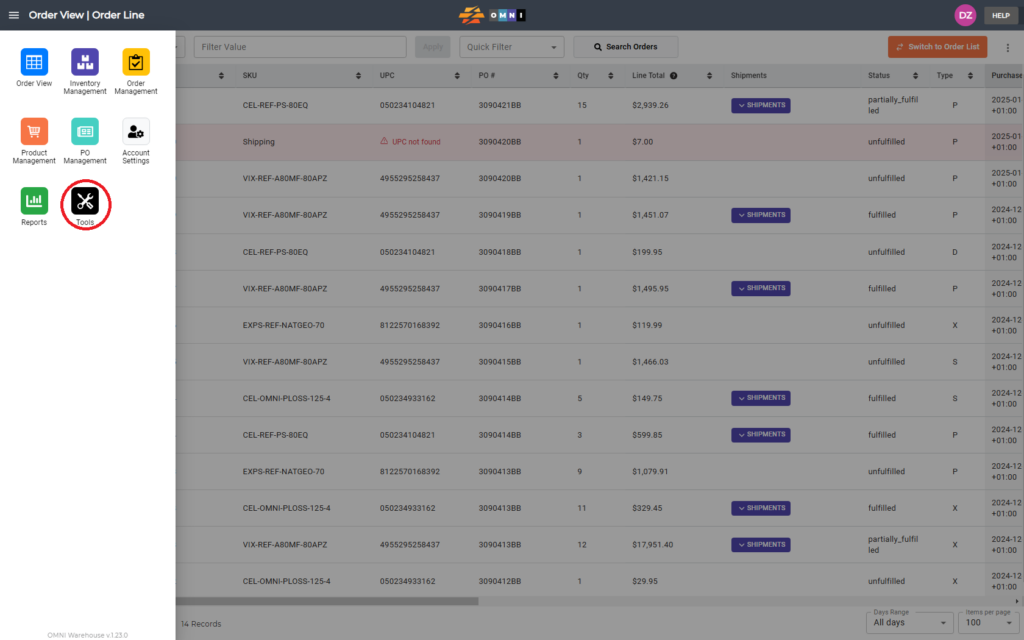
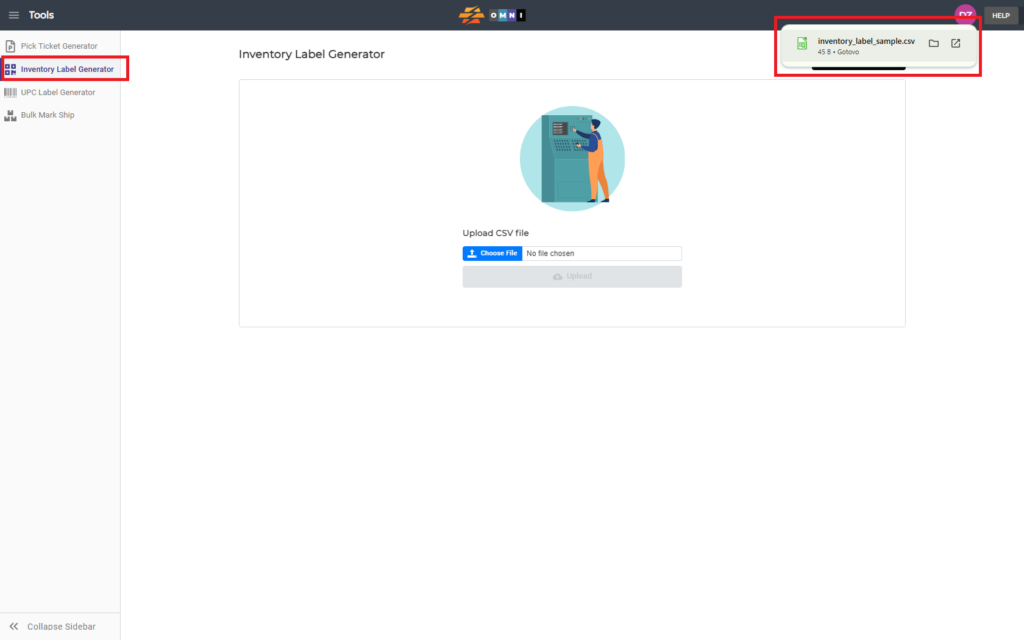
- Select the “Inventory Label Generator” from the submenu
- Download the *.csv template for editing by pressing the “Template” command button
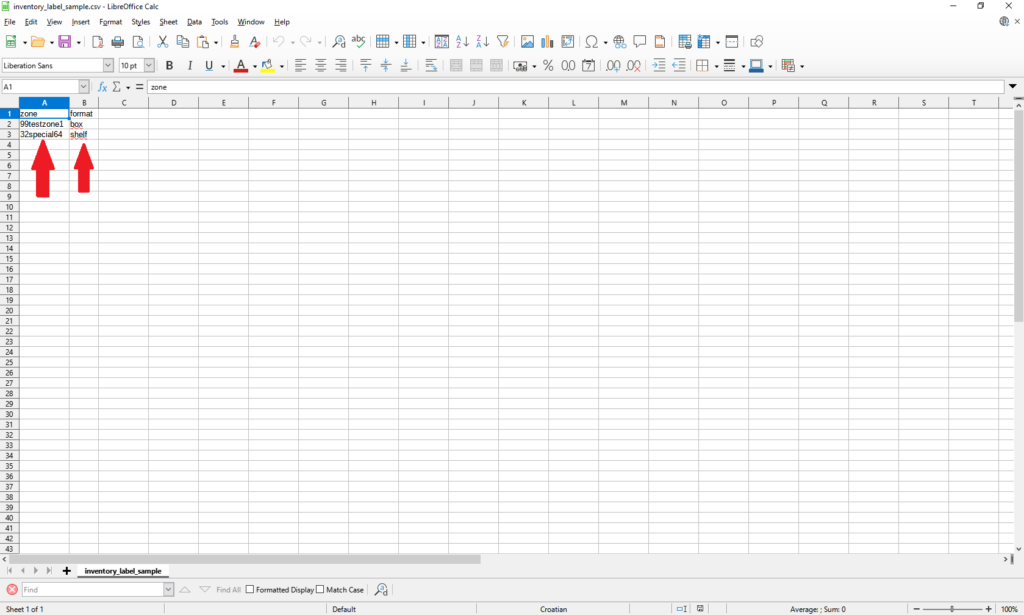
- Open the Excel or Libre Office file and fill it with UPC for labeling
- Save changes in *.csv file format
- Back to the “Tools”, “Inventory Label Generator”
- Press “Choose file” to open browser windows and pick the file
- If the file is valid you get a message about it
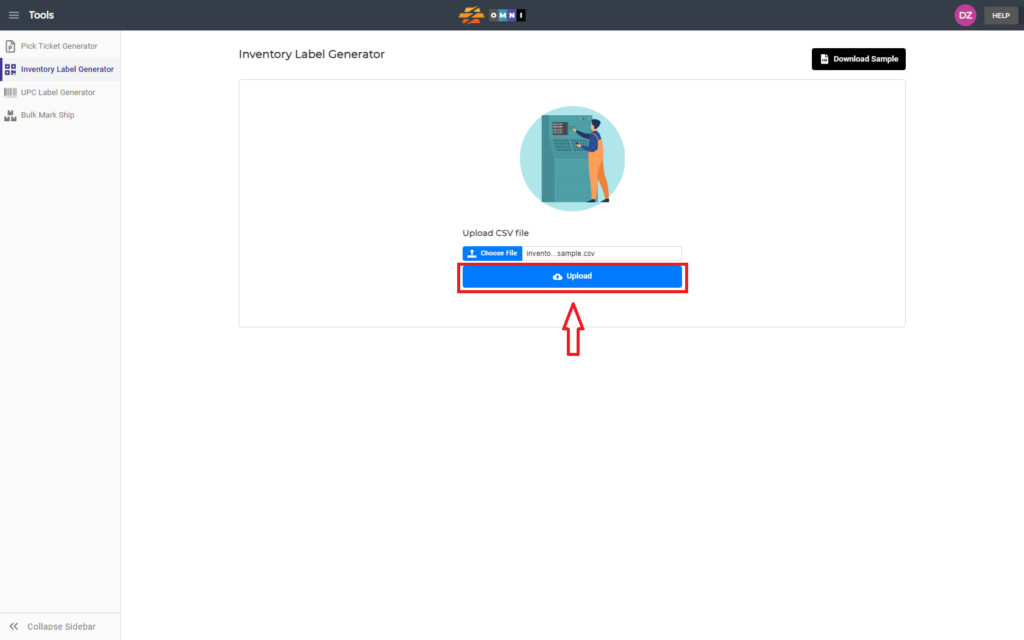
- Press the “Upload” command button and upload the file
- The labels will be created as a PDF document that is automatically downloaded to the computer
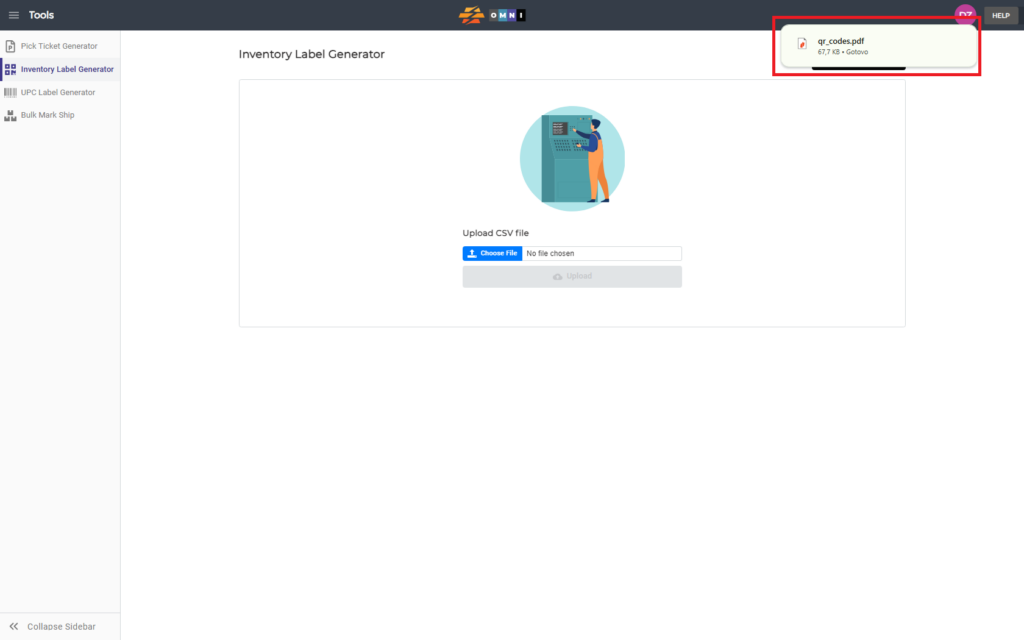
- Open PDF document and print labels