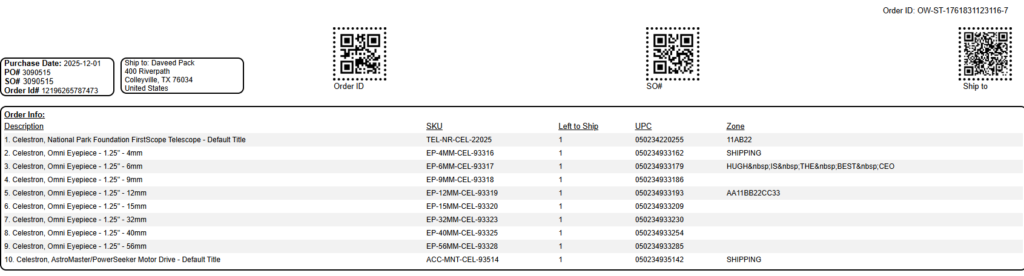
This guide provides technical instructions for using the Pick Ticket Generator within CommerceBlitz OMNI to streamline warehouse operations. It details how to retrieve sales order numbers from the Orders View, input them into the generator tool, and produce formatted pick tickets for efficient order fulfillment.
How to Print a Pick Ticket:
- Go to the main menu
- Select ‘Orders View‘
- Right click the ‘SO#’ column heading, and select Copy to copy the SO#.

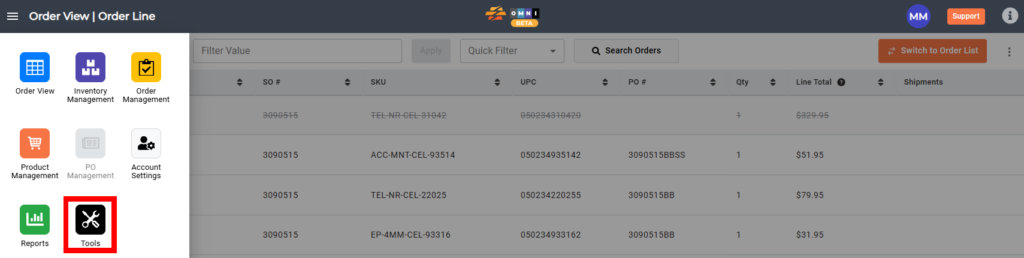
- In the main menu, select ‘Tools‘
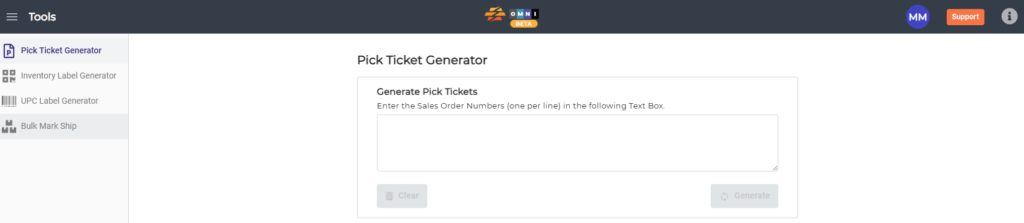
- Select ‘Pick Ticket Generator‘ from the sub menu
- Paste the SO# in the field and select ‘Generate‘

- Print the pick ticket generator with the print function on your computer.