

Here, we provide a comprehensive guide for users of the CommerceBlitz OMNI platform who wish to connect their Amazon store. It provides step-by-step instructions on how to locate the necessary account settings and successfully configure the integration. The video below will provide an overview.
Access Account Settings:
- Go to the main menu
- Select ‘Account Settings‘
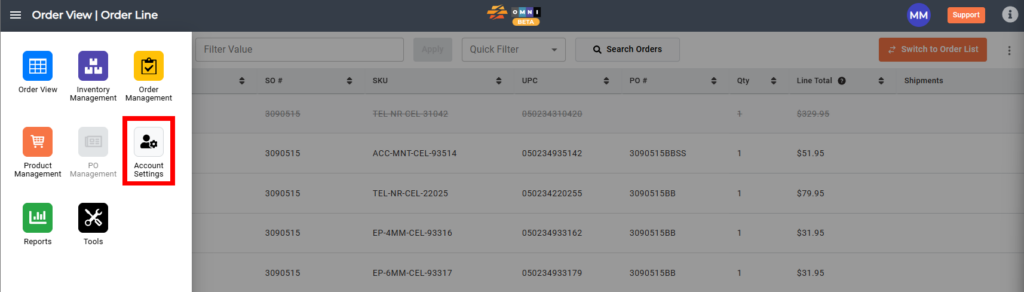
Steps to Integrate an Amazon Store:
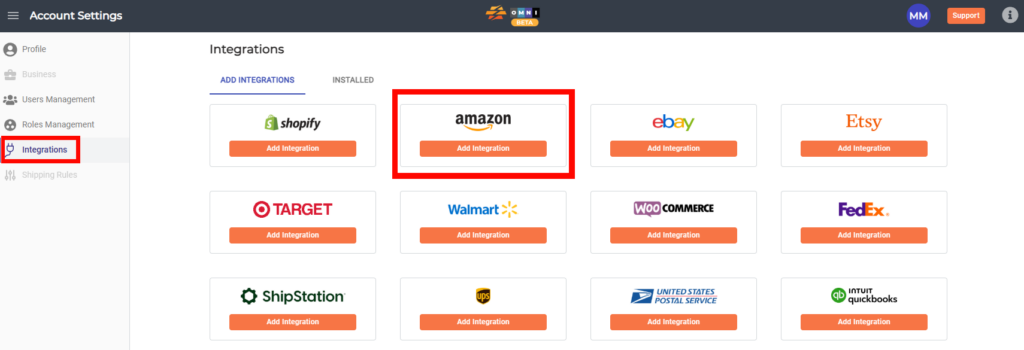
- Select the ‘Integrations‘ submenu
- Select the ‘Add Integrations‘ tab
- Select the ‘Amazon‘ channel
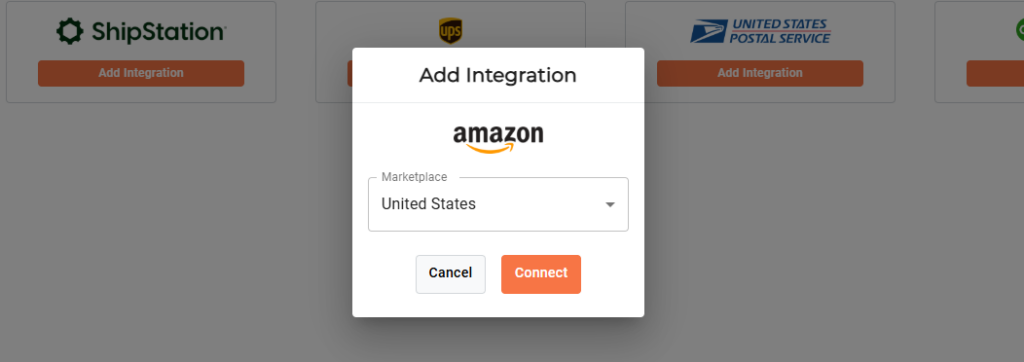
- Select the desired marketplace
- Select ‘Connect‘
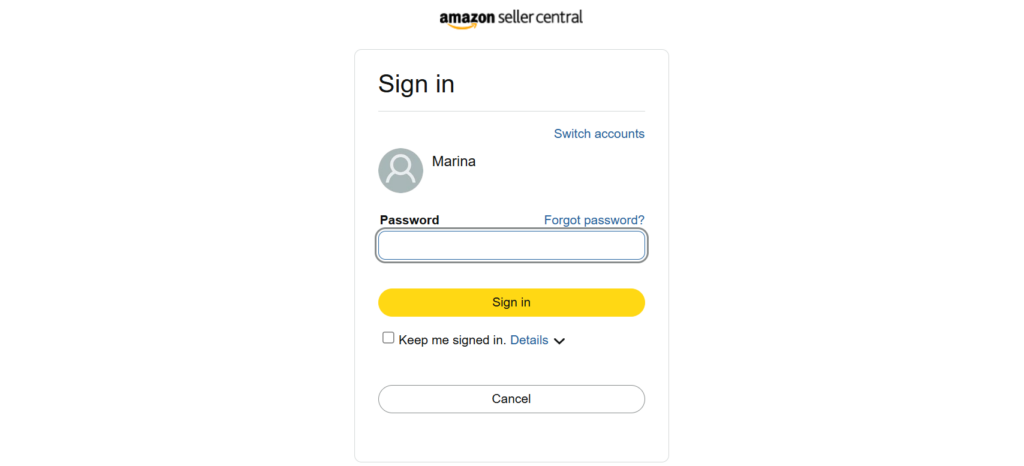
- Log in with your Amazon account, and the integration will be complete.
- Your Amazon sales channel is now connected. Select the Sync Products button to sync your Amazon products to you CommerceBlitz OMNI catalog.
