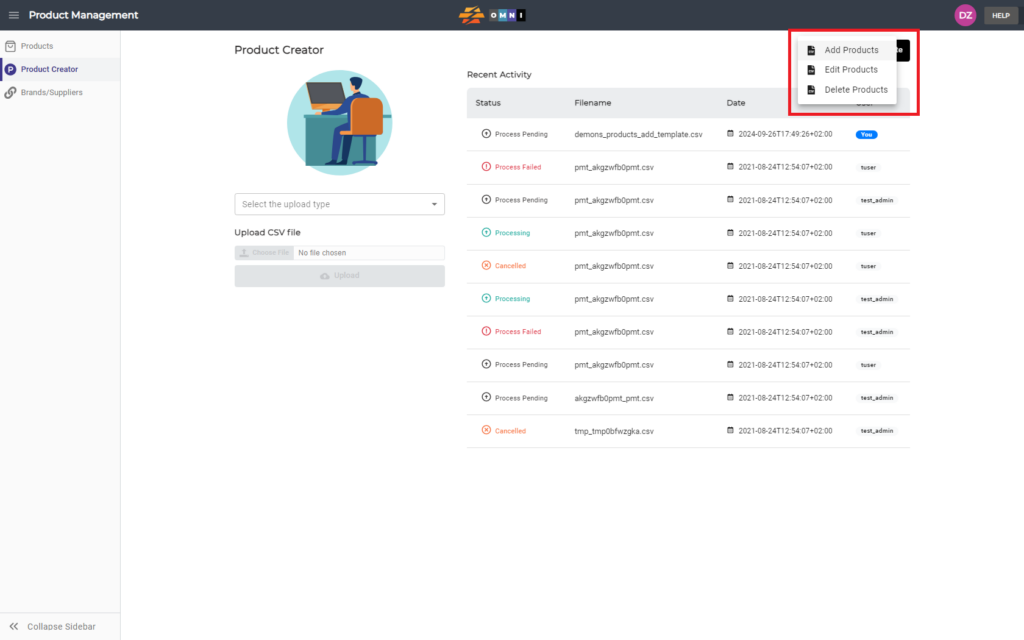
To handle your products within the warehouse, three different templates for working with product data are available in the OMNI app: entering, editing, and deleting products. This video explains how to obtain these templates and download them to your computer.
For any ambiguities or additional questions, please, contact us directly.
A) Enter Product Management
- Go to the main menu
- Select “Product Management”
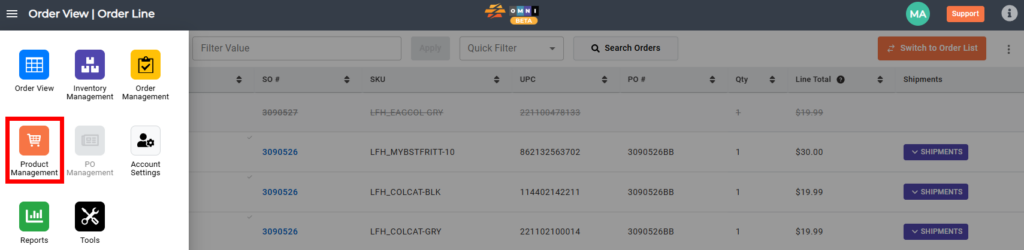
B) Download template
- Select the “Product Creator” submenu
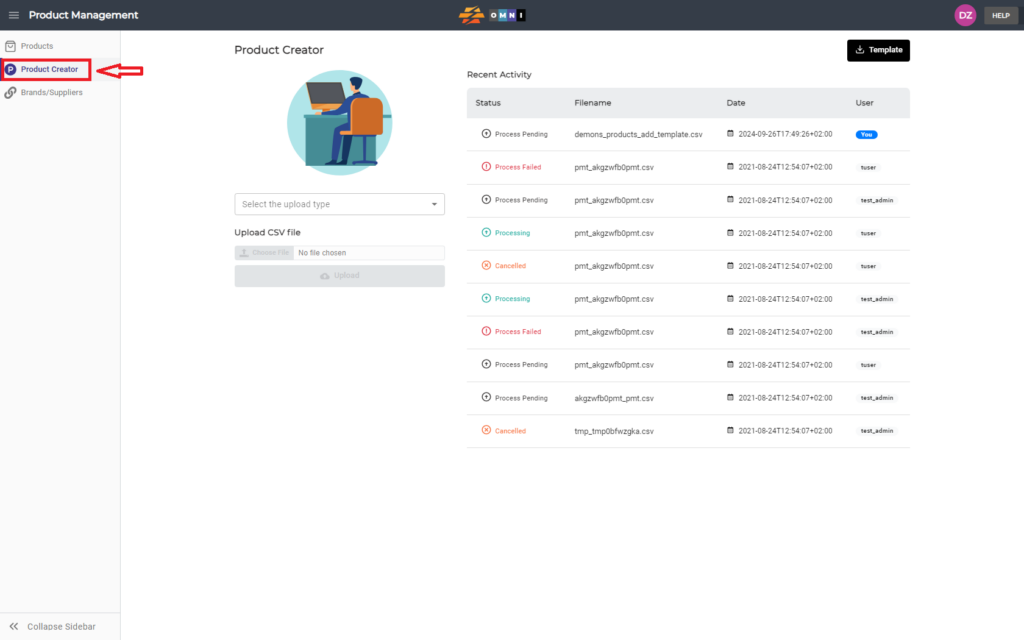
- At the top of the page on the right side screen, click on the “Template” command button
- Choose one of the templates from the dropdown menu to download on the computer