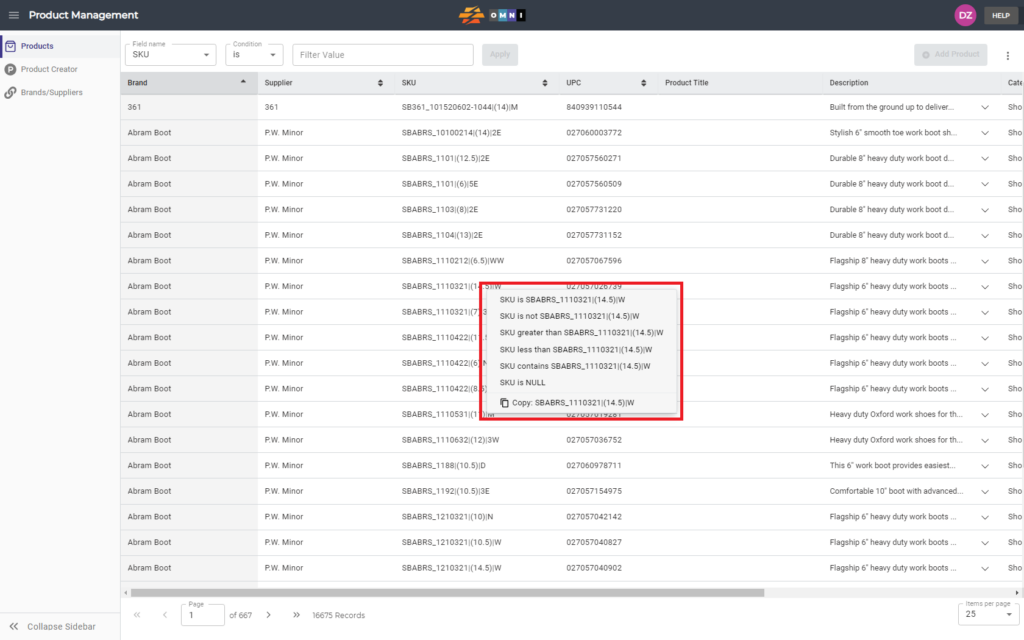
One of the many tools available in the OMNI app is the ability to quickly filter catalogs with products in stock. This video demonstrates the simple process of quickly filtering a product.
For any ambiguities or additional questions, please, contact us directly.
A) Enter to Product Management
- Go to the main menu
- Select “Order Management”
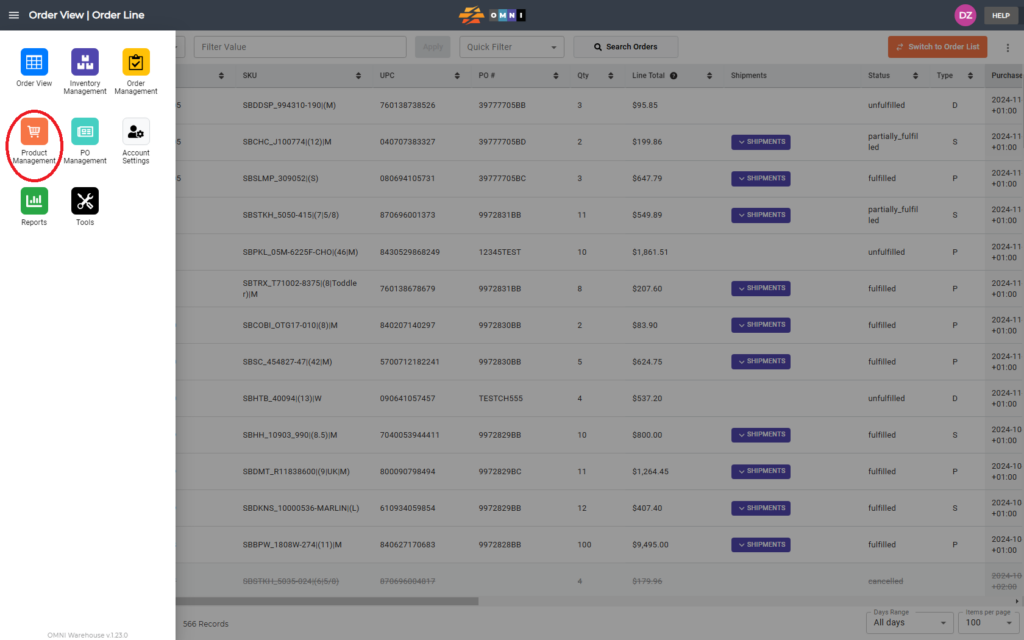
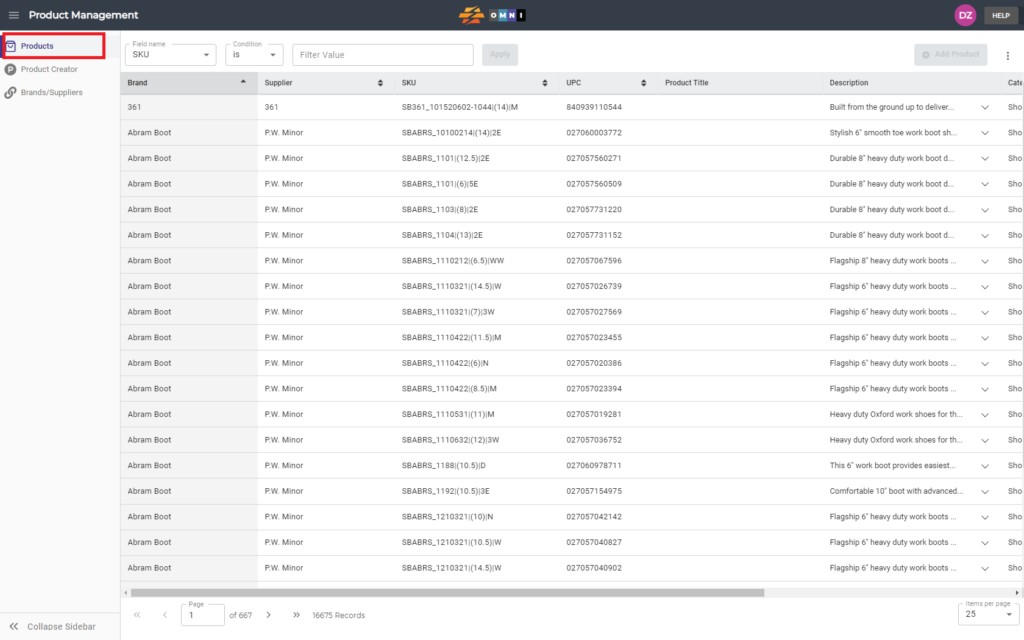
B) Work with quick filter
- Select the “Products” submenu
- Place the arrow of the computer mouse above any data in rows and columns
- Press the right mouse button
- Select the quick filter from the popup menu